
On Templates tab in Settings > General settings, you can manage templates of Dispatcher Paragon Cloud used for email notifications. Templates define the structure and content of emails sent by the system. This includes notifications for standard system functionalities, such as guest account registration, job processing results, or scan delivery.
You can also create completely custom templates to suit your specific needs. These custom templates can be for example used in combination with triggers to send notifications based on customer-defined conditions.
You can define templates in any of the supported languages.
Predefined Templates
The system comes with several predefined templates covering various features. By default, these predefined templates are provided in English only.
You can modify these current templates or create new templates in the language of your choice to suit your organization's needs.
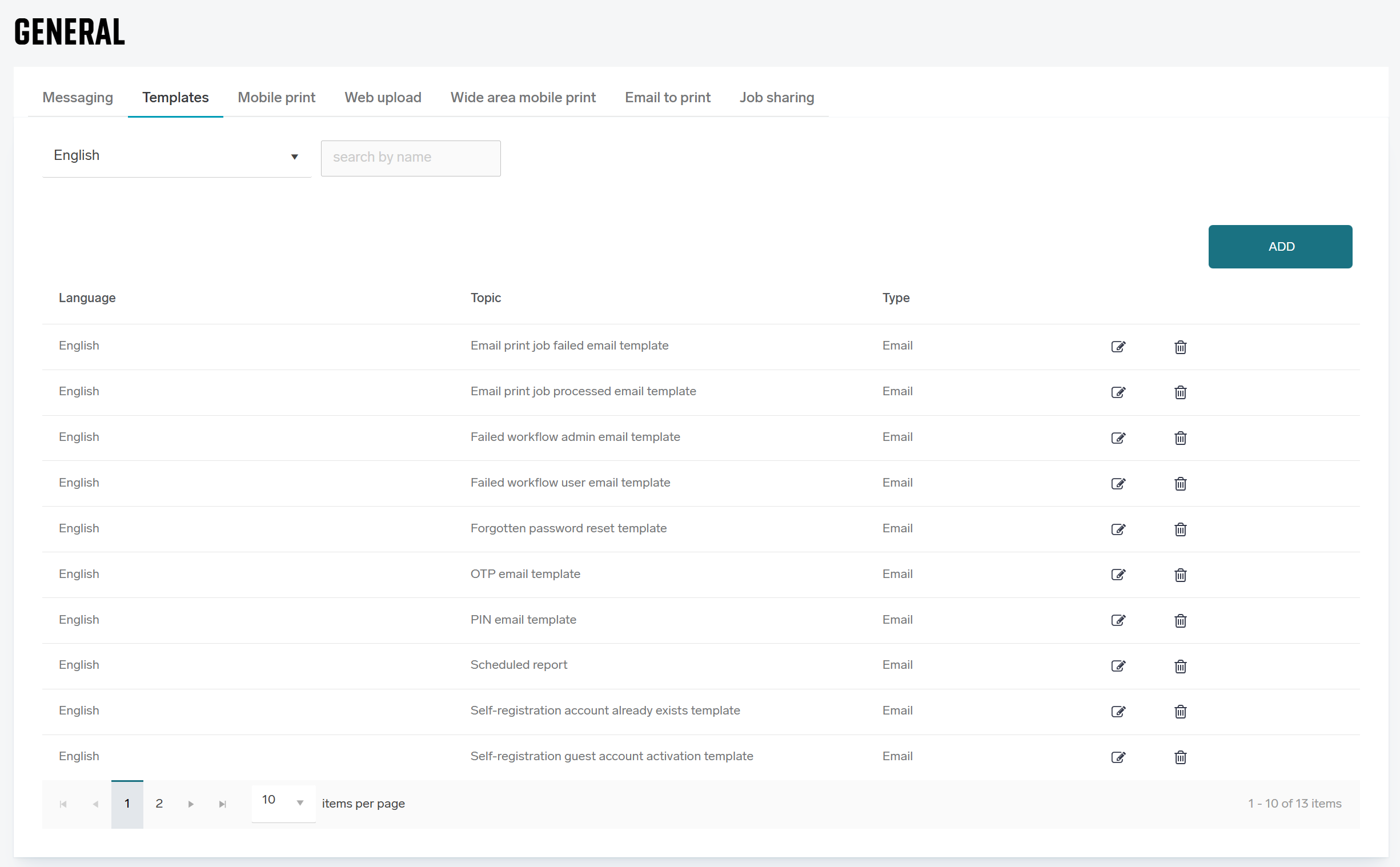
Template Usage
The selection of which template is used for a specific functionality is defined on that functionality's settings page. For example, to select the template used for Email to Print notifications, you must navigate to the Email to print settings tab.
Be aware that when a template is deleted, the functionality associated with that specific notification may stop working.
Managing Templates
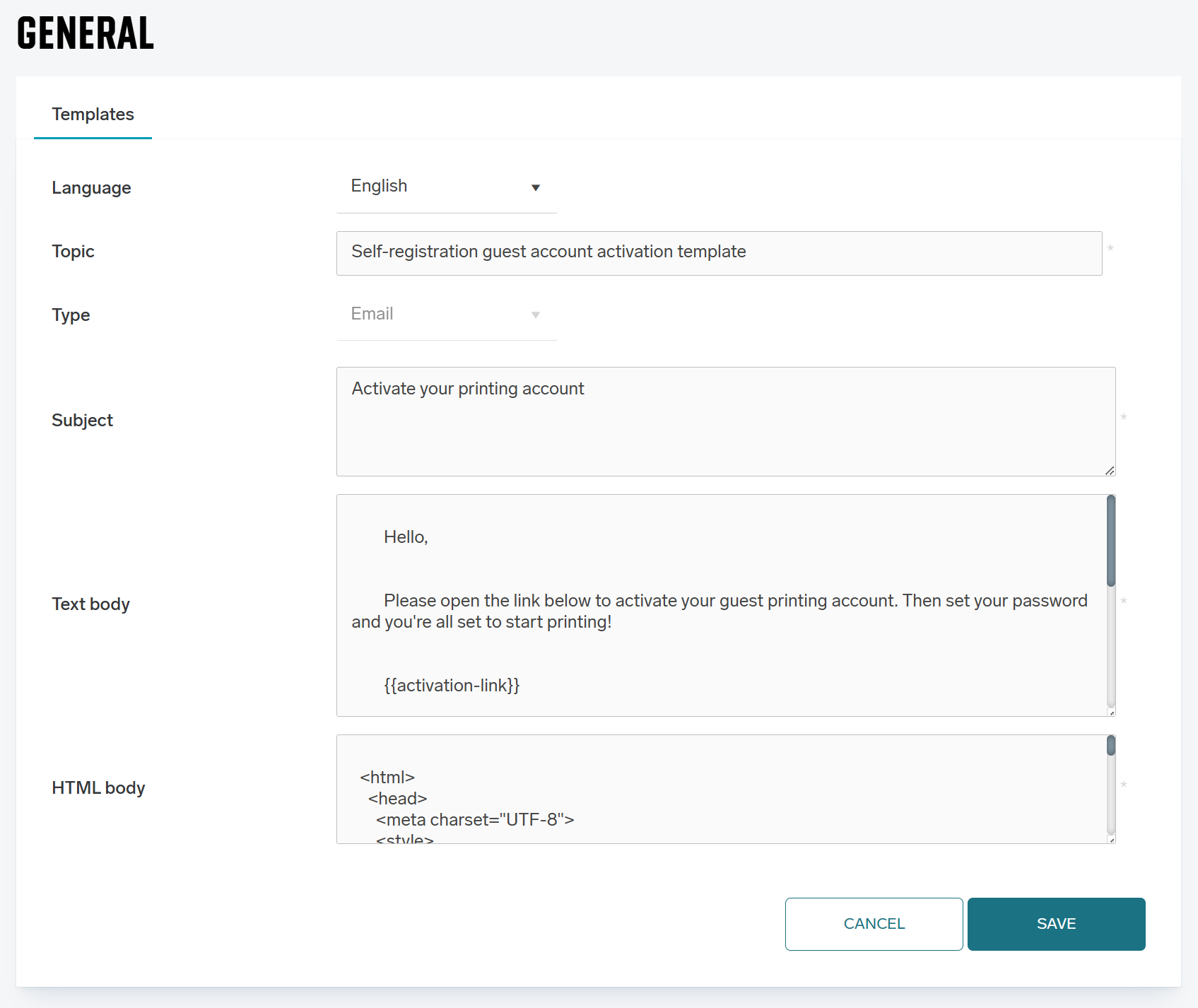
Each template configuration consists of the following fields:
-
Language – Select the language for the template. This setting determines how dynamic content within variables is localized.
-
Subject – The text that will appear in the email subject line.
-
Text body – A plain text version of the email content. This is rendered if the recipient's email client does not support or allow HTML versions.
-
HTML body – The main content of the email supporting rich text formatting.
Template Variables
Templates contain variables that are dynamically replaced with actual data when the email is generated. Each template type has a specific set of usable variables available to it.
Localization of Variables The content generated by variables respects the Language setting of the template. For example, the variable {{expiration-time}} will be rendered differently based on the chosen language:
-
English: "2 hours"
-
German: "2 Stunden"
The same variables can be used in both the HTML body and the Text body.